Wireless type-c CarPlay Android Auto Adapter UBS Hub OEM for Retrofit Mazda 2 3 6 CX3 CX5 CX8 CX9 MX5 Demio Miata TK78669U0C Kit
Wireless type-c CarPlay Android Auto Adapter UBS Hub OEM for Retrofit Mazda 2 3 6 CX3 CX5 CX8 CX9 MX5 Demio Miata TK78669U0C Kit
Couldn't load pickup availability
SPECIFICATIONS
Brand Name: CARABC
Choice: yes
High-concerned chemical: None
Origin: Mainland China
Hello, for android auto, some mobile phone manufacturers modify the pure android
system when the mobile phone is shipped from the factory, it will lead to android auto
can not be activated and used, you can try to solve the method
1, uninstall Android auto from your mobile phone , Google shop to re-download the latest Android auto version
2, clean the cache of Google services, use a good quality cable to connect the wired version of Android auto
(if it is a TYPE-C interface, please connect type-c).
If necessary, open the USB debugging function of the mobile phone to test the connection, some mobile
phones hide the USB debugging, you can Google query the mobile phone model to open the USB debugging function method).
Most mobile phones can be solved using the above methods. We cannot confirm if your phone is compatible with wireless Android cars, and we cannot guarantee that you can use wireless Android auto
Please note before placing an order:
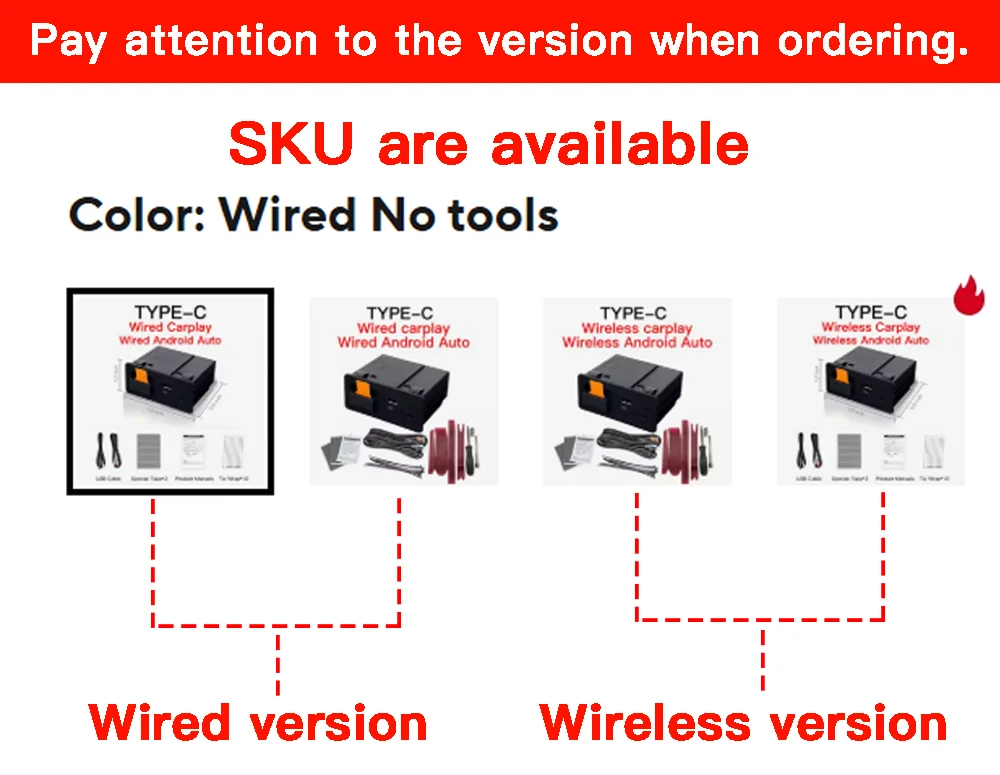
There are multiple specifications to choose from, including wired and wireless versions, please pay attention to the differences!
Please note before purchasing:
Connect wireless CP/AA, turn on Bluetooth and WiFi on the phone, please connect the device Bluetooth name (smart box * * *) will automatically enter WiFi transmission, please do not directly connect to WiFi
1. If you are an Android phone, please ensure that your phone can connect to the Android Auto driving system before ordering (all Android phones can download the Android Auto plugin, but some Android phone manufacturers have modified the Android system, which still cannot connect). If your Android phone cannot connect to the wireless Android auto, it is recommended to switch to wired mode and connect to the wired Android auto through the type-c interface to activate the phone's Android auto function (you can also connect to wired or wireless CarPlay for testing. If CarPlay can be used normally, it means the device is working properly). Suggest updating the Android car version or Android system version to try.
2. If your iPhone is connected to wireless CarPlay, please enable Bluetooth and WiFi and turn on Siri. The phone only needs to connect to the device's Bluetooth name (smart box * * * *) through Bluetooth to automatically enter WiFi transmission. Do not connect your phone's Bluetooth to other devices.
Please note before ordering using Android auto:
If you are an Android phone, please make sure that your phone can be connected to the Android auto drive system before ordering (all Android phones can download the Android autopilot plug-in, but some Android phone manufacturers have modified the Android system, which will lead to the inability to connect). If your Android phone cannot connect to an Android car, please use a cable that supports data transfer to connect, or you can connect to CarPlay for testing. If CarPlay can be used normally, it means the device is working properly. Suggest clearing the Android auto cache, uninstalling this app, re downloading the latest Android auto version, and turning on the phone's USB debugging function to try connecting again
Please note before purchasing:
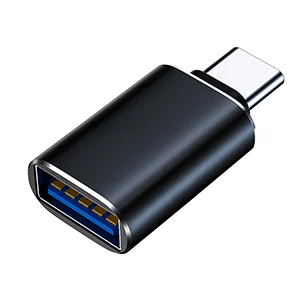
If connecting a wired CarPlay to an Apple 15 or Apple 16 phone, you need to use the provided Type-C to USB adapter for connection。
Notice:
Mazda has restricted the Android auto touch function of all cars to be controlled by rotary knobs, and CarPlay is also prohibited from touching while driving
Before starting the installation, please check your version information, if it
is lower than version 70 please upgrade the firmware version first!
CarPlay-AndroidAuto Installation guide
https://drive.google.com/drive/folders/1py59HsES0DGyTd-4iIwjt1TUJh_zimZR?usp=sharing
Firmware MCU upgrade file
https://drive.google.com/drive/folders/11u5OqqKLLiFBqOqz1wisAoTtZoaUqHBu?usp=drive_link
https://drive.google.com/drive/folders/1FtKtz4HU0V2sL0DUYUxp8Hui7jIf4iWf?usp=sharing